
Logging your favorite foods is now a breeze. To favorite any food, simply find it using search and tap the heart icon on its Food Detail page. The next time you need to log that item, it will be ready to go in your Favorites Bar—with the exact serving size you chose alongside it. No more fiddling with portion sizes each time. Your favorite foods remember how you like them.
Multiple Presets
Do you enjoy the same food or drink in different quantities throughout the day? No problem. MacroFactor’s Favorites let you save multiple presets for the same food.
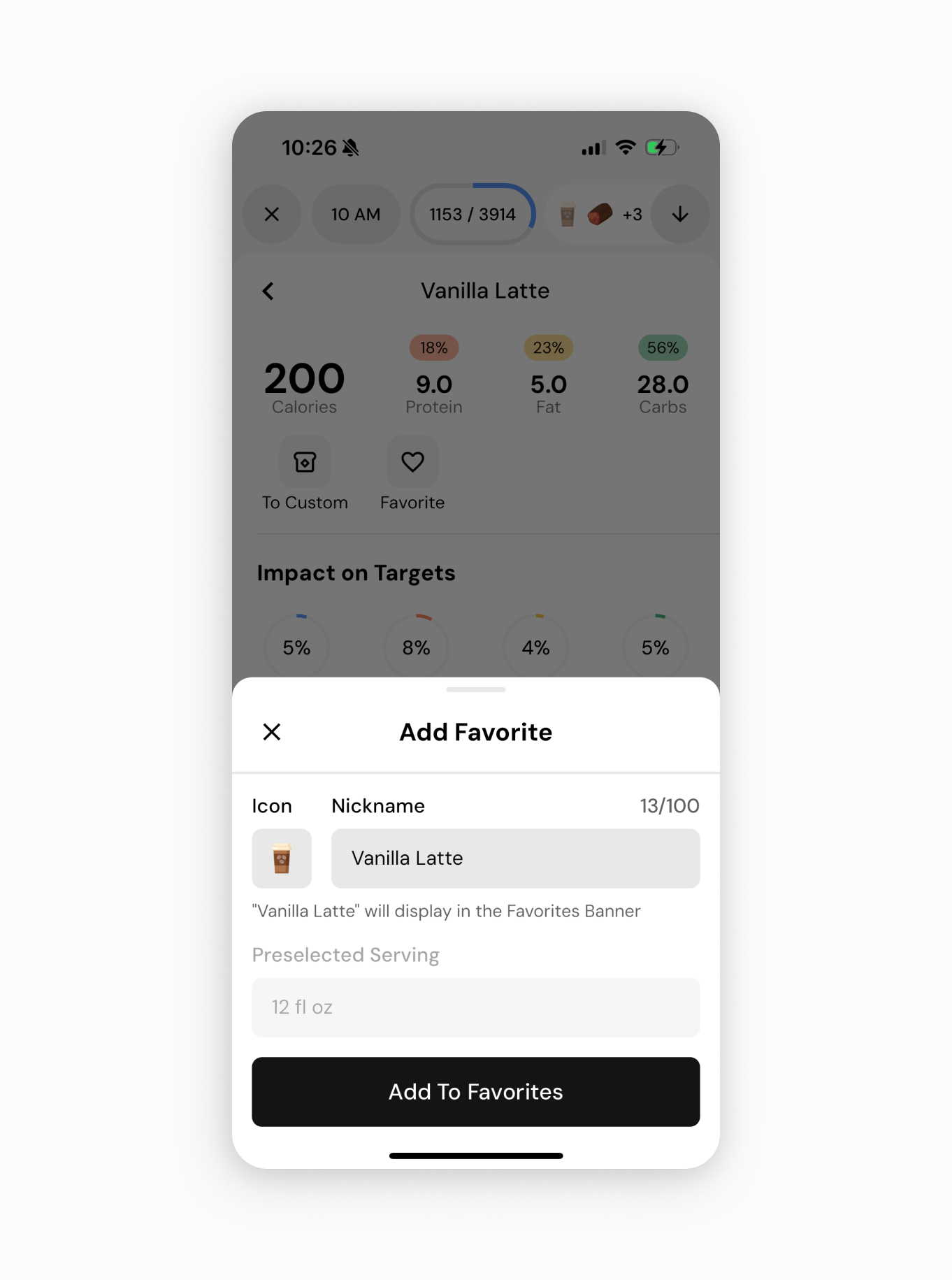
For example, you might save a 16oz latte as a favorite for your morning coffee. You could then add a 12oz latte as another favorite for the afternoon. Each preset appears as its own entry in your Favorites Bar. This means whether it’s a half-portion snack or a full meal, you can log it with a single tap — no manual adjustments required. By supporting multiple presets for one food, MacroFactor adapts to the realities of your routine and eliminates repetitive steps in tracking.
Quick Access
Above your smart Hourly Picks and Latest foods in Search, you’ll now find your personal Favorites Bar prominently displayed. This bar provides quick access to all the foods you’ve “hearted” so far. Instead of typing in search or scrolling through history for your everyday items, just tap the item’s tile from the Favorites Bar. It’s instantly added to your plate, complete with the saved serving size you’ve set.
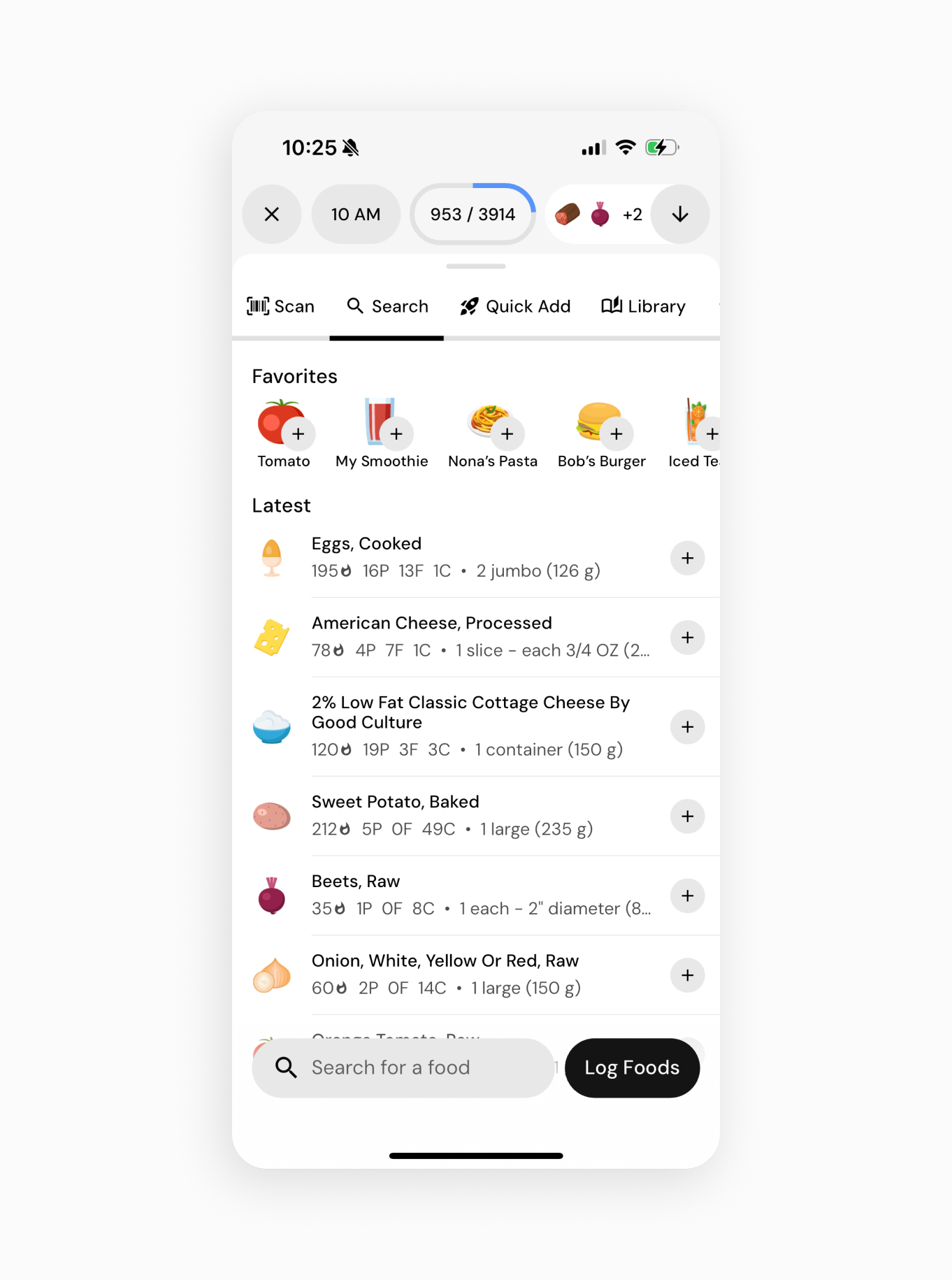
The Favorites Bar is positioned at the top of your search results, so your most important foods are always the first options you see. In short, your logging is faster and smoother because the foods you log most often are exactly where you need them, when you need them.
Reorder with Ease
MacroFactor gives you control over the order of your Favorites. To customize the order:
- Go to your Library and navigate to Favorites.
- Tap the Reorder icon in the top right corner.
- Drag and drop your favorite food entries up or down to arrange them in your preferred sequence.
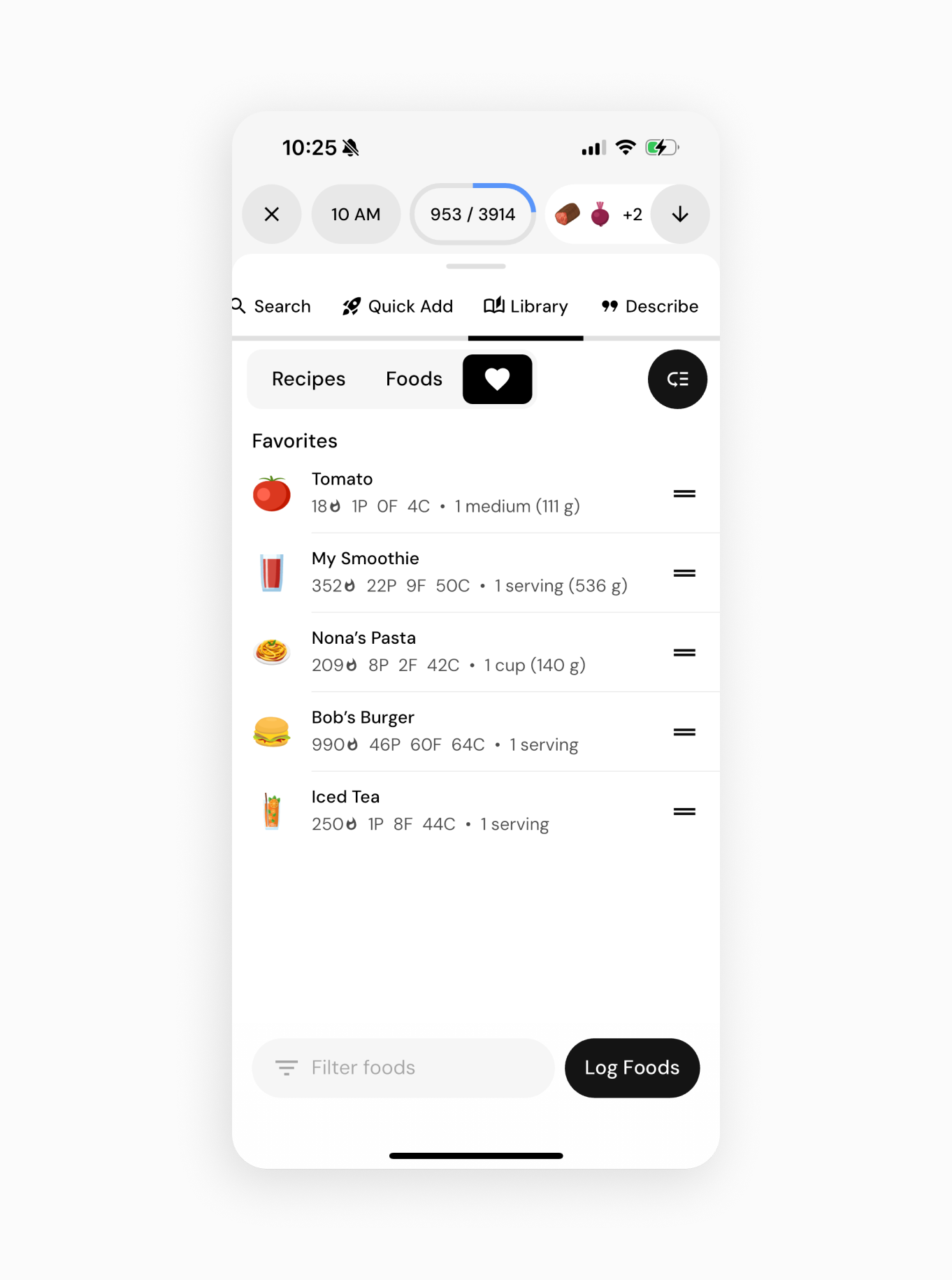
Organizing your favorites means that the items you use most can be placed front and center. For example, if certain snacks are your top priority, you might drag those to the top of the list. This way, your Favorites Bar is arranged exactly how you want it.
A Faster, More Personalized Logging Experience
With the new Favorites feature, MacroFactor continues to improve how you track your nutrition. By allowing you to save foods (and specific portions), recall them instantly, and organize them your way, this update saves valuable time and effort each day.
This feature is available now in the latest update of MacroFactor on both iOS and Android. We’re excited to see how the Favorites feature helps you in your journey, and we remain committed to bringing you tools that make diet tracking easier and more efficient. Happy logging!
Ways to get started with MacroFactor
Show us your favorite foods in the MacroFactor app community on Facebook and the MacroFactor subreddit.
If you are ready to get started with MacroFactor, you can download the app now from the App Store or Google Play.
You can also learn more about macro tracking, nutrition, and physiology by reading our in-depth articles or browsing our extensive knowledge base.